Your projects involve many financial data streams. Arcast brings you one platform to manage them all.
In Arcast, a project may represent a development project, an asset, or a case or instance you want to valuate. The valuation process of such a project involves both project-specific data as well as economic assumptions that may be valid across multiple projects or even an entire portfolio of projects. Project-specific data may consist of production profiles, investments, revenues, and operating costs. Economic assumptions may include the individual prices for the different products, as well as currencies and inflations. In some situations, you may also need to take into consideration the owner share of the project or asset.
Project valuation is a process that is often repeated over time, as the data and assumptions might change. There might also be several projects run in parallel, handled by different users. To be able to compare and rank projects there is a need for consistent calculations between users and over time are essential.
In Arcast, project-specific data, the economic assumptions, the owner shares and the tax calculations are split in separate files. Then, when a project is calculated, the data is read by the calculation engine to produce the results and cash flow results. This allows different users to share these files and makes sure all calculations by all users are performed using the same assumptions. Versioning the files over time makes it easy to calculate a project using different input data to analyze their effects on the value and performance of the project.


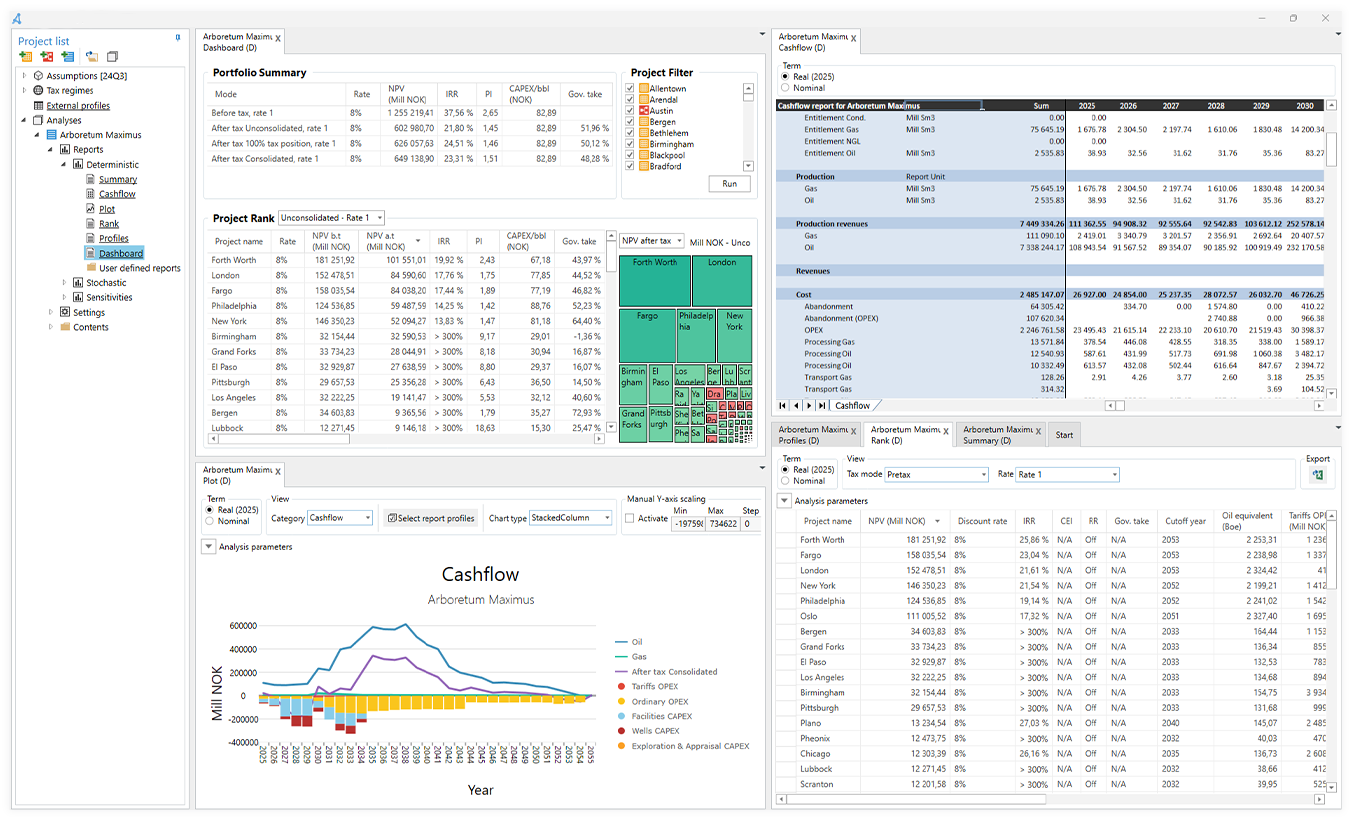
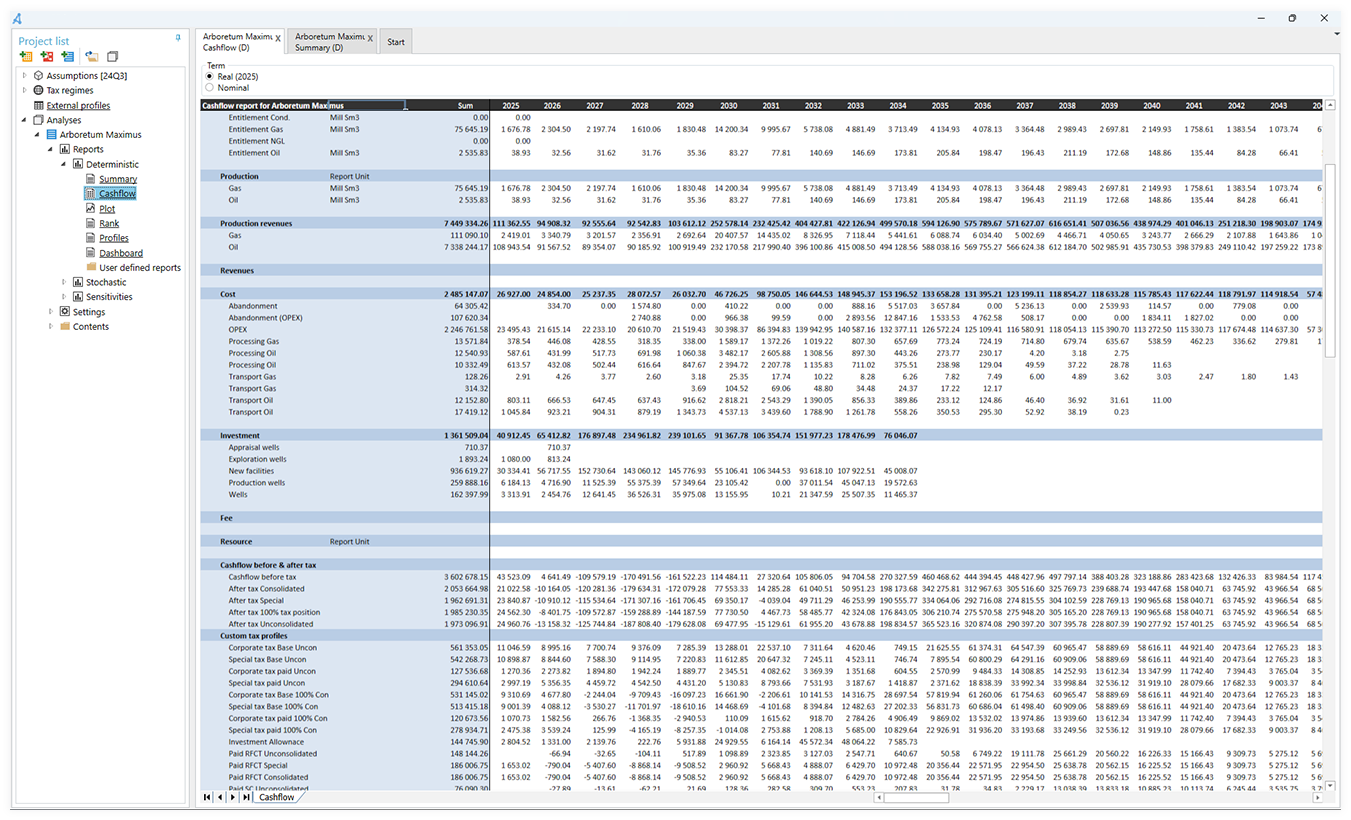
After calculation, the results are presented in standard reports, both in table formats and visually in graphs and figures. The reports include key performance indicators like the NPV, IRR, and the break-even price. An extensive profiles report gives you all of the profiles involved in the calculation, including the resulting cash flow before and after tax. Arcast also lets the users build and customize individual reports focused on the results most relevant to the different analyses. All results may be exported in a spreadsheet format to be used in further analysis and reports.
Arcast is built to be open and flexible, allowing users to adapt the model to their needs and requirements. Project definitions, assumptions data, and tax files are set up in open formats ready to be edited by the user without any need to reprogram the software.

The base modeling entity in Arcast is the project. For more complex decision problems, decision trees may be used. In a decision tree, decisions and project alternatives, are modeled visually as nodes and branches in a tree structure. Projects and decision trees can be combined in a portfolio to calculate the consolidated results. A portfolio may also be added as a subportfolio to another portfolio.

In Arcast, a project may represent a development project, an asset, or a case or instance you want to valuate. If a project involves a large dataset with several separate sections or components, the project data may be split into several Arcast projects to study the contributions from each project separately.
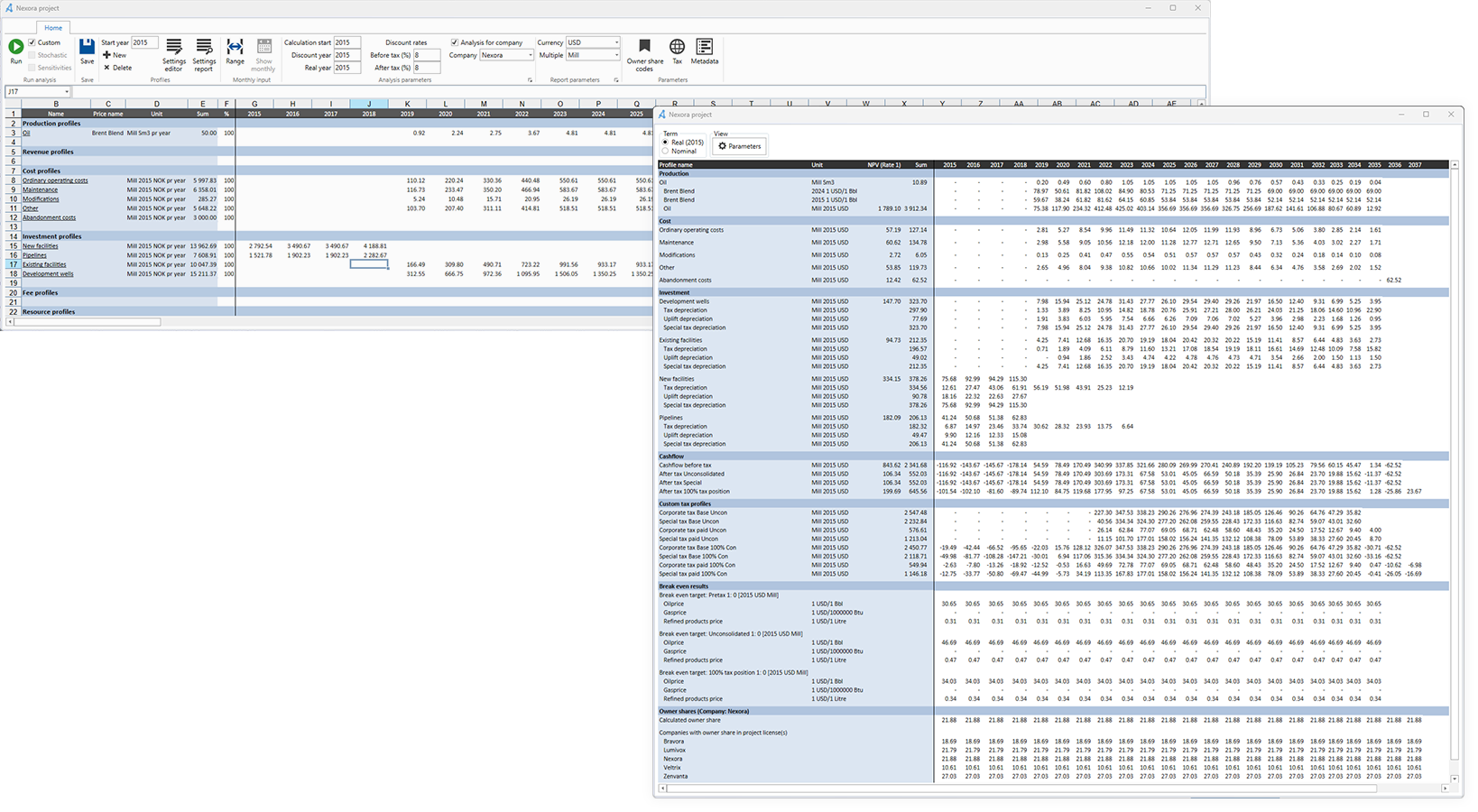
To valuate a project in Arcast, you input data into various profiles under one of the following four categories: productions, revenues, operating costs, and investments. Each category may consist of an arbitrary number of profiles. Arcast comes with a predefined set of profiles in each category, but these can be edited or extended with new types to ensure the appropriate granularity in calculations and reports. Each input profile may be entered in its own physical or monetary units. When Arcast runs calculations and generates reports, it automatically converts data to the proper calculation and report units.
A project may be set up using monthly values, yearly values, or a mix of both. Arcast will give you the NPV and cash flows before and after tax. The tax calculations are based on your modeling of the regimes and settings applicable to your organization.
The production profiles for a project are entered as volumes. For upstream industry projects, there are predefined production types for oil, gas, natural gas liquids (NGLs), and condensate; available unit types include bbl, Sm3, metric ton, and BOE. Each production profile is linked to a specific price in the economic assumptions to calculate the revenue from the production.
Revenues not in the form of production, for example, the sale of infrastructure, may be entered directly in the form of a value profile.
But there are also cases where the revenue is still associated with a volume profile and then linked to a price. An example of such revenue could be a tariff for processing or transporting oil and gas.
Like revenues, costs may be entered either as value or volume data profiles, depending on the characteristics of the profile. In the same way that a tariff may constitute revenue for one project, in another project it could be a cost. Costs associated with abandoning a project may be entered as abandonment profiles. When calculating a project, Arcast then may be set up to searches for the optimal cut-off time of the project and move the abandonment costs relative to this.
Investments often have a major effect on the project value. In addition to the actual invested values, each investment profile is set up with its own set of depreciation rules, both for tax and accounting depreciation. Types of rules available include Declining balance, Straight line, and Unit of production, or you may enter a precalculated depreciation profile.
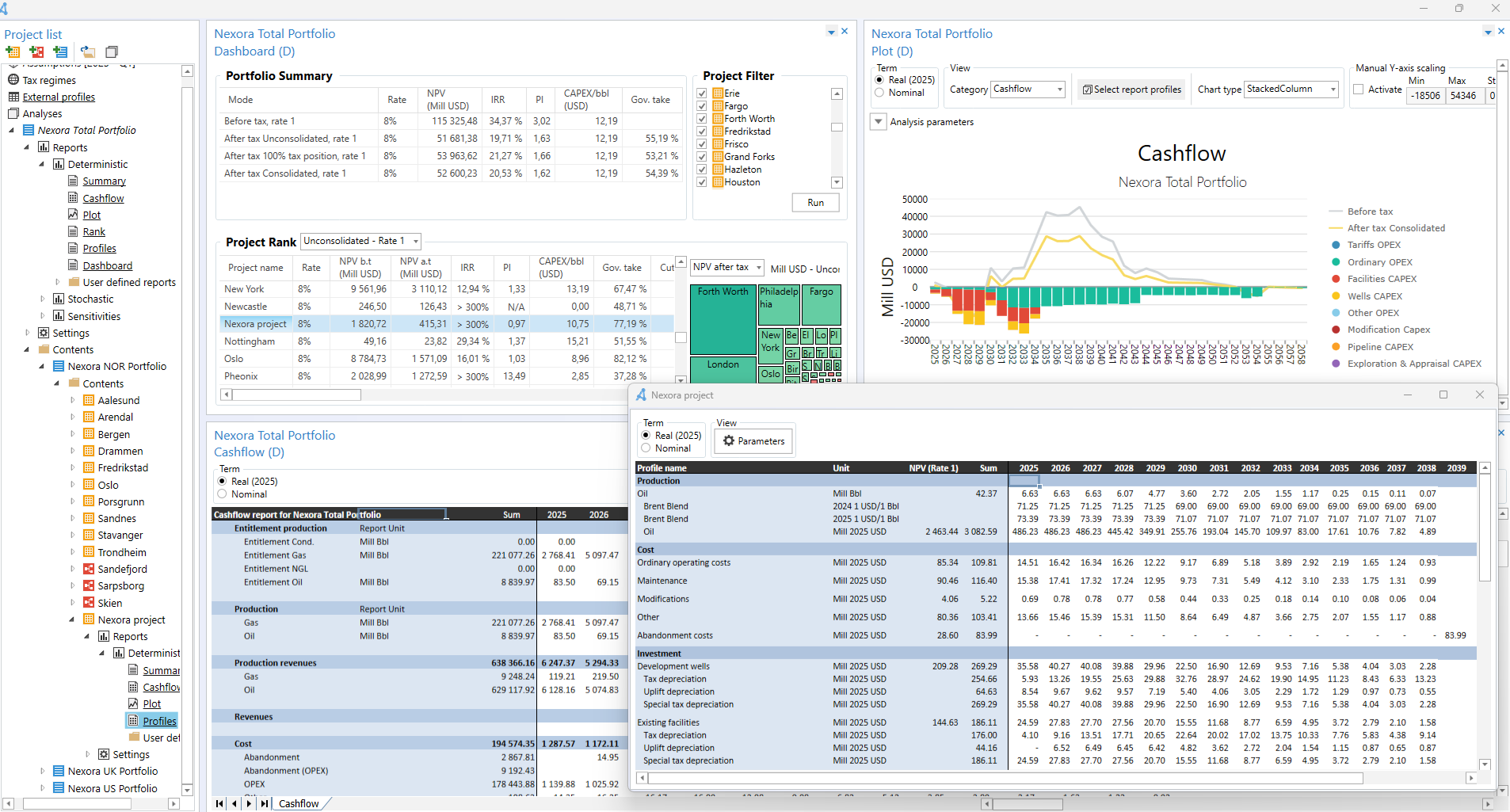
Calculating projects together in a portfolio gives insight into how they perform together and measure against each other. A portfolio may consist of subprojects of a larger project, the projects for a specific business unit or division, or the entire project base in an organization. This provides a good foundation to understand how your asset base performs under different conditions, such as economic shifts, changes in owner structure, or tax regime changes. Within a portfolio, you can add projects, subportfolios, and decision trees to build a complete picture of your business. In Arcast, these entities can easily be grouped into a portfolio and calculated together, where each project contributes to the organization’s total production, revenue, costs, and investments.
When you run a calculation on a portfolio, the same assumptions are used across all projects and decision trees, and all projects belonging to the same tax regime are calculated together to automatically utilize any tax effects across the projects. If a portfolio consists of projects belonging to different tax regimes, each tax regime is calculated separately, and then all results are summed together.
In addition to the standard reports showing the cash flow and KPIs of the entire portfolio, a portfolio calculation also creates some additional reports. A rank report shows a table with the individual project results, which may be sorted by the respective NPV, IRR, and total production, costs, investments, etc. In the profile report, you find all the results from the portfolio calculation, broken down at the project level. The report is set up with advanced functionality to group, sort, and filter the results by any category, e.g., production type, cashflow, or NPV.
When performing analysis at the portfolio level, the benefit of splitting the data sources into separate files becomes apparent. As an example, the assumptions data may be updated on a quarterly or yearly basis. All that is needed is to calculate the portfolio with the updated assumptions. No additional changes are required. If a tax regime shifts, only the actual tax file needs to be modified before recalculation. As the results are structured in the same way, it is easy to compare the new to the previous results to identify any changes.


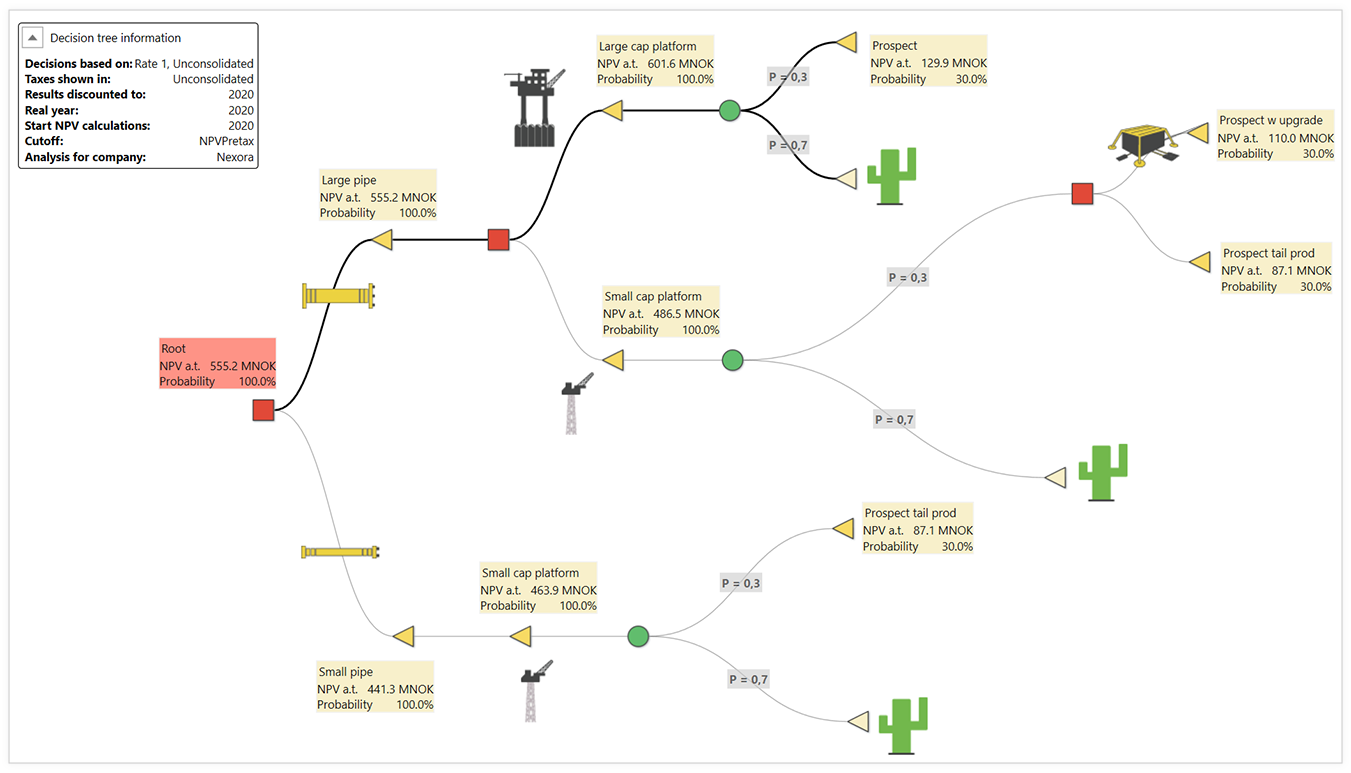
Decision tree modeling is a technique that can be used to model complex decision scenarios where you have multiple decisions that may depend on each other or be mutually exclusive. Sometimes there are several possible outcomes of a decision. Each outcome may be associated with a probability for the outcome. Modeling complicated scenarios in a decision tree may also help to acquire a common and better understanding of the structure of the decision problem. In Arcast, decision trees are modeled through drag-and-drop functionality using the following elements:
When calculating a decision tree in Arcast, all possible outcomes are calculated. All data on a branch, from the root to the end node with no further branches, is consolidated. Then, the results are weighted with any probability along the branch. At each decision node, the decision that gives the highest NPV is chosen. At the root of the tree, you find the calculated expected values of productions, costs, investments, and cashflow in the same structure that is used for a project or portfolio.